
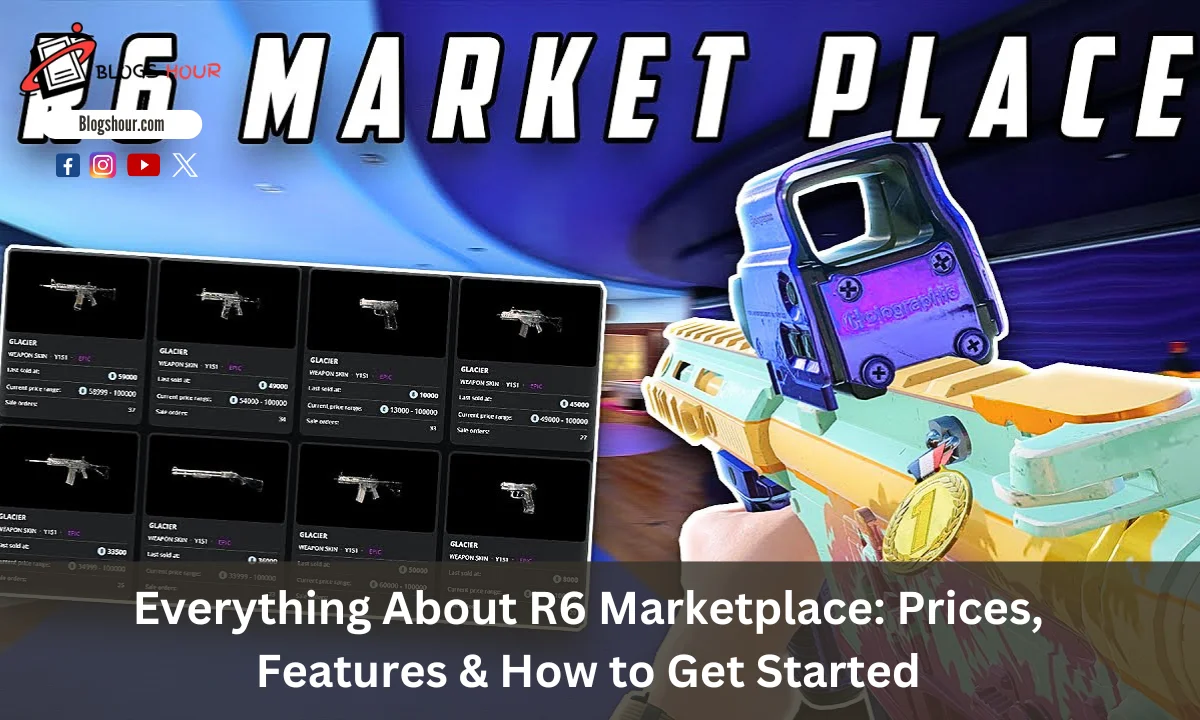
Are you tired of grinding for hours to get that perfect skin or item in Rainbow Six Siege? The R6 Marketplace offers a solution by letting you buy, sell, and trade cosmetics like skins, charms, and R6 credits with ease. Instead of spending hours trying to get rare items, you can now simply buy them without the hassle.
Whether you’re a seasoned player aiming for the iconic Black Ice skin or a newcomer wanting to get a cool Fire Skin, the R6 Marketplace provides a seamless way to obtain exactly what you need. It’s easy to use, and with a simple sign-up process, you can quickly dive into trading.
This guide will walk you through everything you need to know about the R6 Marketplace status, from signing up to securely making transactions and tracking prices. Let’s dive in.
How to Sign Up for R6 Marketplace
Signing up for the R6 Marketplace beta is straightforward. If you’re new to the platform, here’s what you need to do:
- Visit the Marketplace Page: Go to the official R6 Marketplace website. Ensure you’re on the correct website to avoid any security issues.
- Sign In with Ubisoft Account: To proceed, log in with your Ubisoft account. If you don’t have an account, click the option to create one. Follow the instructions to set it up.
- Review and Accept Terms: Once logged in, review Ubisoft’s terms and conditions and accept them. It’s always important to read through the terms before agreeing.
- Enable Two-Factor Authentication (2FA): For added security, make sure you enable two-factor authentication on your Ubisoft account. This is required to access the R6 Marketplace.
- Check Your Account Level: Your Rainbow Six Siege account must be level 25 or higher to use the Marketplace. Verify that you meet this requirement before signing up.
Once you’ve completed these steps, you’re ready to start buying and selling items on the marketplace.
R6 Marketplace Login and Navigation
After signing up, logging into the R6 Marketplace is easy. Here’s how to get started:
- Go to the Marketplace Login Page: Return to the R6 Marketplace website and click the login button.
- Enter Your Ubisoft Credentials: Use the same Ubisoft account credentials you used during the registration process.
- Enable Two-Factor Authentication (If Needed): If you haven’t already set up 2FA, you’ll be prompted to do so during the login process. This ensures your account stays secure.
Once logged in, the R6 Marketplace interface is simple and easy to navigate. Here’s what you’ll see:
Key Sections in the Marketplace
- Buy Section: Browse and purchase items listed by other players.
- Sell Section: If you want to list items for sale, this is where you’ll go.
- My Inventory: View all the items in your inventory. You can choose which ones to list for sale.
- Transaction History: See your past purchases and sales.
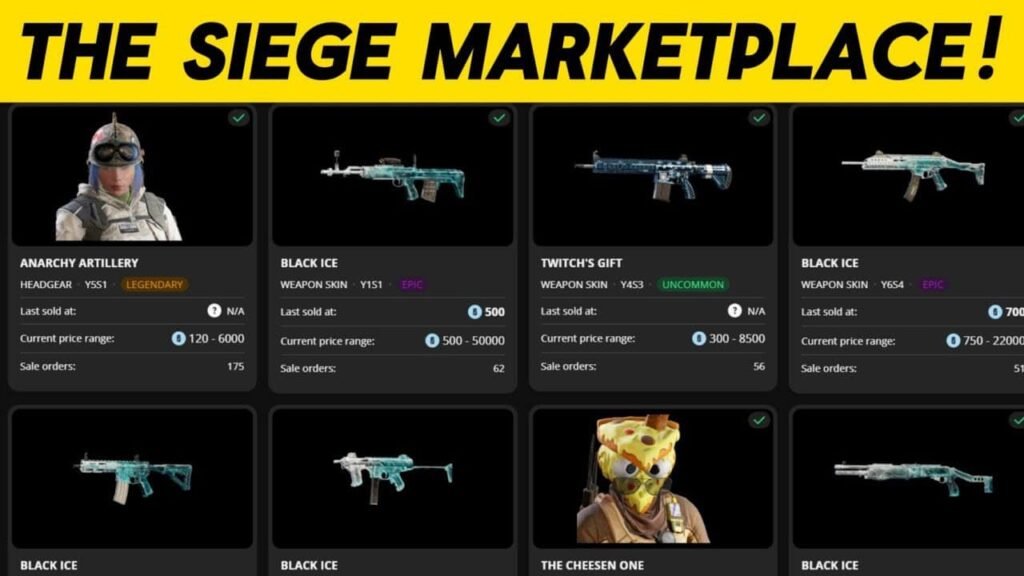
Navigating the marketplace is simple. You can filter your search by item type, price, or rarity to find what you want quickly.
The marketplace allows you to set price limits when buying. It will automatically match you with sellers who meet your price point. When selling, you can set your own price and wait for a buyer. All transactions are processed securely, with a 10% commission taken by Ubisoft from each sale.
R6 Credits and How They Work
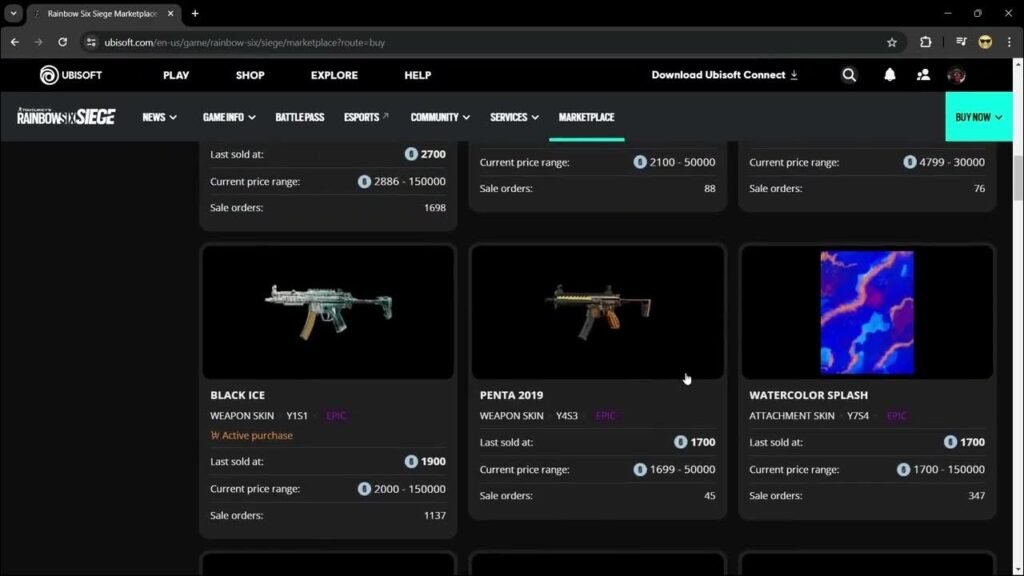
R6 Credits are the main currency used on the R6 Marketplace. These credits let you buy and sell items within the game. You can earn R6 Credits by selling items you no longer need or want in your inventory.
How to Earn R6 Credits
- Selling Items: When you list an item for sale, you set a price in R6 Credits. After it sells, the credits are added to your account.
- Buying Items: You can use your R6 Credits to purchase skins, charms, and other items from other players.
Keep in mind that Ubisoft takes a 10% fee from each transaction. So, if you sell an item for 100 credits, you will only receive 90 credits after the fee is deducted.
Restrictions on Trading
- Seasonal Items: New season items are often locked until the next season starts, so if you’re looking for the latest content, you may need to wait.
Best-Selling Skins and Items on R6 Marketplace
Some items on the R6 Marketplace are more popular than others. These items are usually rare, limited-edition, or visually unique, making them highly sought after by players. For example, skins like “Black Ice” and “Fire” are frequently listed and are often in high demand due to their distinctive designs.
How to Find Best-Selling Items
- Use search filters to narrow down your options by item type, price, or rarity.
- Check the number of active listings for each item to gauge demand.
- Keep an eye on trending items by looking at the best sellers to make smarter trade decisions.
R6 Marketplace Prices and Tracking
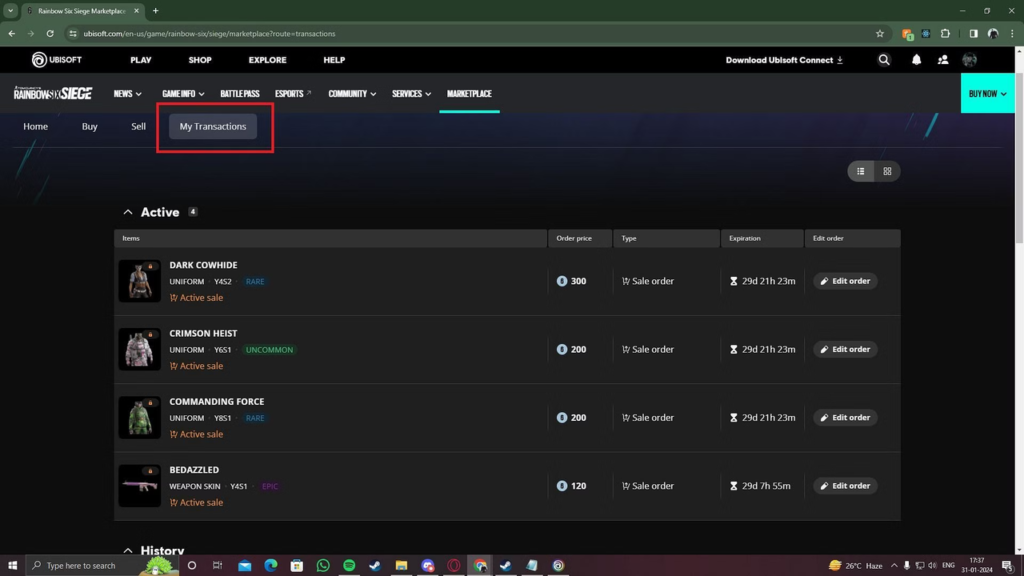
Prices on the R6 Marketplace can fluctuate quickly. This is due to factors such as demand, rarity, and the introduction of new skins. To track prices, you can use platforms like Stats.CC, which provides real-time price trends for various items.
Important Pricing Tips
- Transaction Fee: Remember, Ubisoft charges a 10% fee on all transactions. If you want to earn 100 credits from a sale, you should set the price to 111 credits to cover the fee.
- Seasonal Items: New season items typically can’t be traded until the season ends. Keep this in mind when looking to sell or buy new content.
Why R6 Marketplace Goes Down (And What to Do About It)
Occasionally, you may encounter issues when trying to access the R6 Marketplace. This can be due to server maintenance or updates from Ubisoft.
Steps to Take When the Marketplace Is Down
- Check your internet connection to ensure it’s stable.
- Restart your device to refresh the system.
- Clear your browser cache if you’re experiencing loading problems.
- Try a different browser or device if the issue persists.
If the issue is server-side, wait for updates from Ubisoft. You can check the Ubisoft service status page for any ongoing maintenance or problems.
The R6 Marketplace App: Features and Benefits
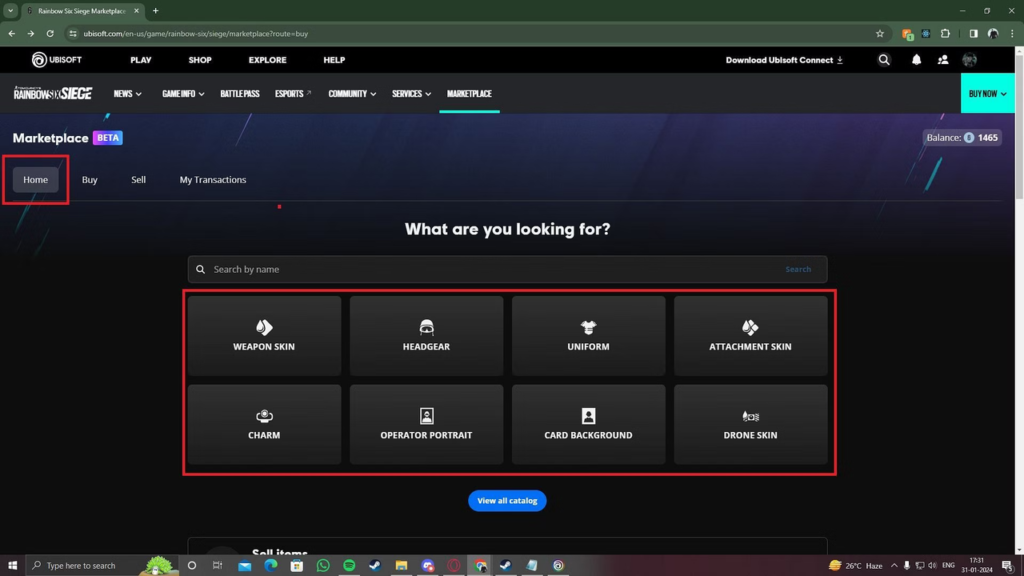
The R6 Marketplace allows players to buy and sell in-game items using R6 Credits. You can access it via the official Ubisoft Marketplace website on both desktop and mobile devices.
Key Features
- Buying Items: Search and browse available items. Set your price, and the system will match you with sellers offering items within your budget.
- Selling Items: List items from your inventory and set a price. Wait for buyers to match your listing.
- Transaction Management: Track your transactions in the “My Transactions” section. You can also update or cancel orders before they’re matched.
Benefits of the R6 Marketplace
- Secure Transactions: All payments and trades are processed securely, ensuring a safe environment for trading.
- User-Friendly Interface: The marketplace is easy to navigate, whether on your PC or mobile device.
- Wide Selection: Find exclusive skins, charms, uniforms, and headgear available for trade.
R6 Marketplace Community: Discord and Social Interactions
Although the R6 Marketplace doesn’t have its own dedicated app, players have created Discord servers for easier trading and interaction.
Popular Community Servers
- R6 Market: A trusted server with competitive prices and frequent deals.
- Siege Marketplace: A newer server where players can buy and sell Rainbow Six Siege accounts and items.
What to Expect in These Servers
- Trade Channels: Post items you want to sell or buy, and negotiate directly with other players.
- Giveaways: Many servers host giveaways for free items or credits.
- Support: If you encounter problems, these servers offer channels for help.
R6 Marketplace on Console: Xbox and PlayStation
Currently, the R6 Marketplace is not available through the Ubisoft Connect app on Xbox or PlayStation. You cannot browse, buy, or sell items directly while playing Rainbow Six Siege on these consoles.
Accessing the Marketplace on Consoles
However, you can still manage your Marketplace activities via a web browser. Log in to your Ubisoft account through a PC, smartphone, or tablet to access all Marketplace features. Ensure your Ubisoft account is linked to your console account so that your purchases sync across devices.
Ensuring Your Account Is Safe on R6 Marketplace
Security is crucial when using the R6 Marketplace to protect your personal information, purchases, and trades. Follow these tips to secure your account:
Security Tips
- Enable Two-Step Verification (2SV): This adds an extra layer of security, requiring verification through a second method (like a code sent to your phone).
- Use Strong, Unique Passwords: Avoid using easily guessed passwords. A password manager can help generate and store complex passwords.
- Beware of Phishing Scams: Never share your Ubisoft account credentials. Ubisoft will never ask for your password via email or other communication methods.
- Monitor Account Activity: Regularly check for suspicious activity. If something seems off, report it to Ubisoft Support.
FAQs
How to Reset Your R6 Marketplace Password
If you’ve forgotten your password, go to the Ubisoft login page and click on “Forgot Password?”. Enter the email associated with your account. Ubisoft will send you an email with instructions to reset your password.
Can You Buy R6 Credits with Real Money?
Yes, R6 Credits can be purchased with real money. You can buy them via the in-game store or the official Ubisoft Store, using methods like credit cards or PayPal.
What to Do If Your Transaction Doesn’t Go Through?
If you encounter issues with transactions, try clearing your cache or restarting your browser. If problems persist, contact Ubisoft support.
Last Words
The R6 Marketplace opens up a world of trading for Rainbow Six Siege players, offering a quick and secure way to buy, sell, and track items. Whether you’re looking for a rare skin or trying to get some R6 Credits for your next big purchase, the Marketplace is an essential tool for enhancing your gaming experience. Always remember to stay safe and follow the best practices to protect your account.
Ready to start? Sign up today and start trading!